

- Updated on
Docker Sandboxes (sbx) Quick Start: Safely Run AI Coding Agents

The biggest AI coding unlock of 2026 isn't a better model or a fancier IDE. It's simpler than that: letting the agent run for hours, unattended, without babysitting it.
That's how some teams now ship production code while they sleep. Specs go in, working code comes out. But most developers aren't doing this, and not because they can't. They don't trust it.
Recent surveys back that up. Under 18% of developers let AI run with full permissions on their machines. And 73% think AI agents should run in isolation by default. Both numbers are about the same thing: security. AI can install packages, edit configs, hit the network, and execute scripts. When it goes wrong, it can nuke your machine.
The workaround, until recently, was to just not give the agent that power. Run it in a container, maybe. Or more commonly, sit there and click Approve on every permission prompt for three hours.
Neither one is ideal.
If video is your jam, here's the full tutorial on YouTube:
There's now a better option. Docker Sandboxes, with a CLI called sbx, gives each agent its own microVM with its own filesystem, network, and Docker daemon. You hand it --dangerously-skip-permissions on purpose. The worst your agent can do is mess up its own sandbox, which you delete with a single command.
What Are Docker Sandboxes?
Docker Sandboxes is a standalone CLI called sbx that runs AI coding agents inside isolated microVMs.
Each sandbox gets:
- Its own filesystem
- Its own network (with a configurable policy)
- Its own Docker daemon (so the agent can build images and spin up containers without your host ever seeing them)
- A real Linux environment where the agent runs with sudo
The agent itself doesn't change. You use Claude Code, Codex, Gemini CLI, Copilot CLI, OpenCode or Kiro exactly the way you already do. The only difference is they run inside the sandbox instead of on your machine.
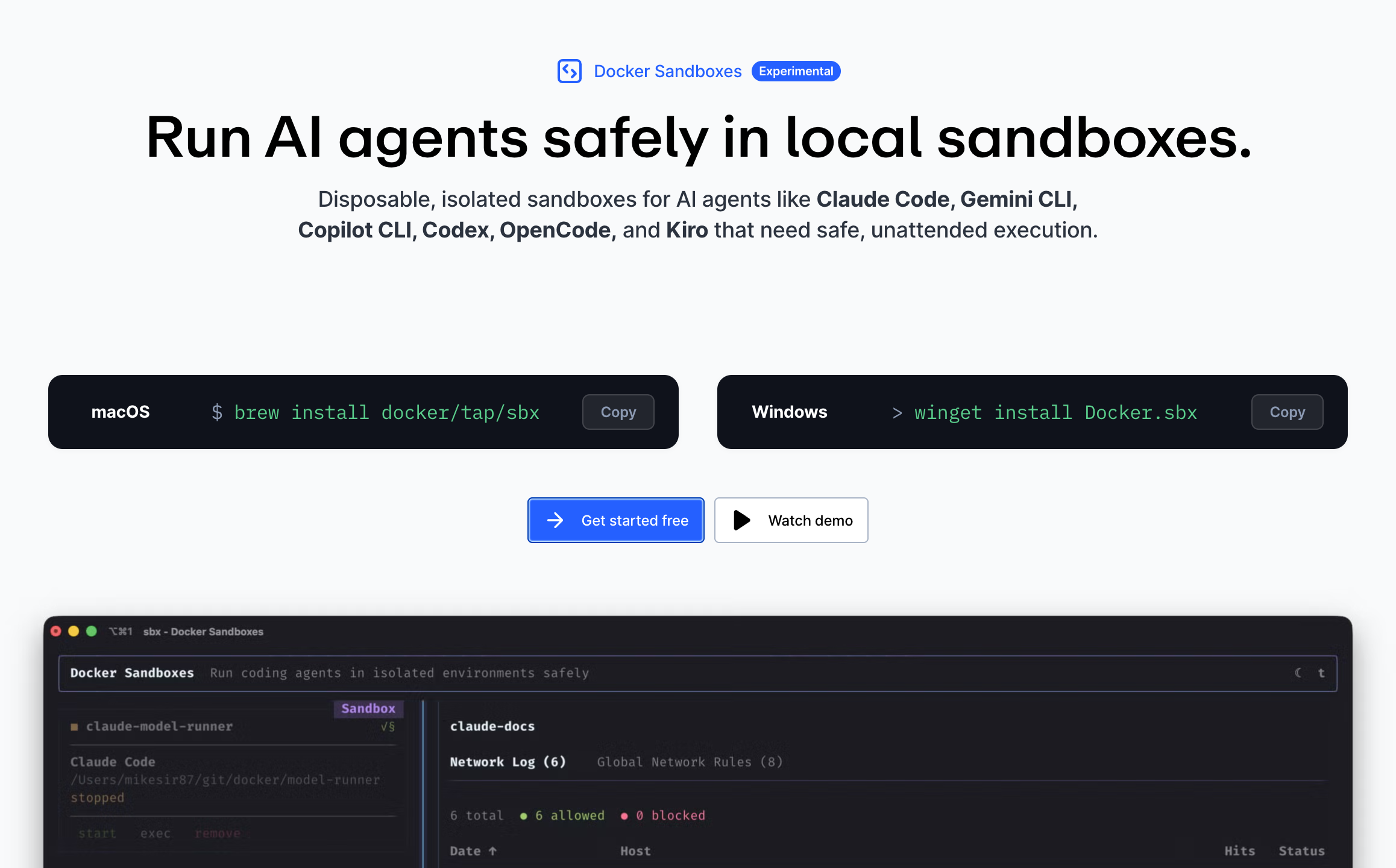
💁♂️ Don't confuse
sbxwith the olderdocker sandboxsubcommand that ships inside Docker Desktop. They're related, butsbxis the newer, recommended tool. It's a separate binary and doesn't require Docker Desktop to be installed.
The isolation model is a hard security boundary, a microVM rather than a shared-kernel container. That matters because it means you can confidently run the agent in --dangerously-skip-permissions (YOLO) mode. In fact, that's the sandbox's default. No approval prompts. No permission fatigue. The agent installs what it needs, commits its work, and when you're done you review the diff on your host like a normal pull request.
Complete Docker Sandboxes Setup Guide
Let's get you up and running with Docker Sandboxes and your favorite AI coding agent.
Before we dive in, you'll need:
- An operating system
sbxsupports — macOS, Windows or Linux (Ubuntu) - An AI CLI — Claude Code, Codex, Gemini CLI, Copilot CLI, OpenCode or Kiro. Full list in the docs.
- A project directory — ideally a Git repository
You do not need Docker Desktop. sbx is standalone.
Work on your idea, not the setup.
PageAI includes 100s of components, AI rules and pre-configured tooling so your sandboxed agents have everything they need from day one.
Step by Step
With that out the way, here's the step by step guide. Don't worry, it's actually super easy and your agentic AI will feel just like before, only it'll be running in a sandbox.
Step 1: Install the sbx CLI
Pick the command for your OS:
# macOS
brew install docker/tap/sbx

# Windows
winget install -h Docker.sbx

# Linux (Ubuntu)
curl -fsSL https://get.docker.com | sudo REPO_ONLY=1 sh
sudo apt-get install docker-sbx
sudo usermod -aG kvm $USER
newgrp kvm
Then sign in once:
sbx login
A Docker account is enough to sign in. You don't need to install Docker Desktop.
Step 2: Run Your First Sandbox
cd into any project and launch an agent:
cd ~/my-project
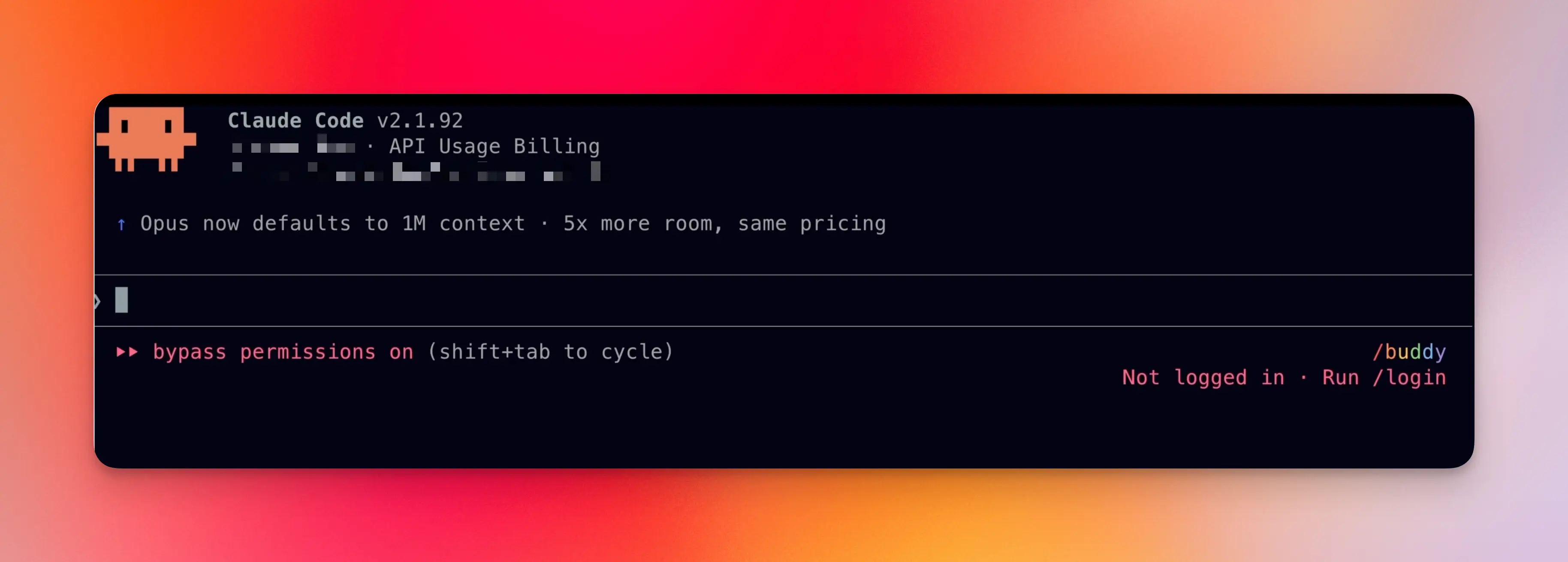
sbx run claude .
The . tells sbx to mount the current directory as the sandbox's workspace. You can also pass an absolute path.
Choose a Network Policy
On the very first run, sbx asks you to pick a default network policy:
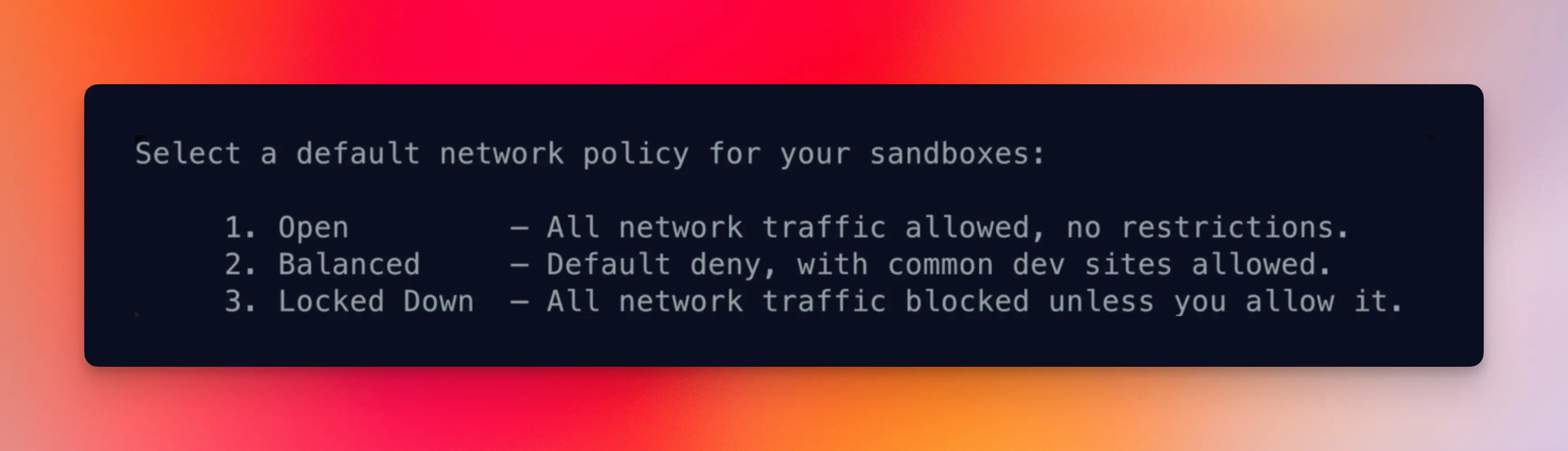
You get three choices:
- Open — no restrictions. Fastest to work with, least secure.
- Balanced — allows common developer domains (npm, PyPI, GitHub, etc.) and blocks the suspicious stuff. This is what most people should pick.
- Locked Down — allow-list only. You'll manually approve every new domain.
You can change this later with sbx policy, and exceptions can be added per sandbox. So don't agonize over the choice.
Step 3: Log Into Your Agent
First time around, Claude Code (or whichever agent you picked) will ask you to log in:
/login
Important: login is per-sandbox. Each sandbox is its own microVM, so your agent credentials don't carry over. You'll do this once per sandbox you create.
You're now inside the agent, running with --dangerously-skip-permissions by default (you'll see it noted in the agent's UI). It's the same tool you already use, just with guard rails.
Step 4: Know the Essential Commands
Four commands get you 90% of the way.
1. sbx — the TUI dashboard
Running sbx with no arguments opens an interactive terminal dashboard:
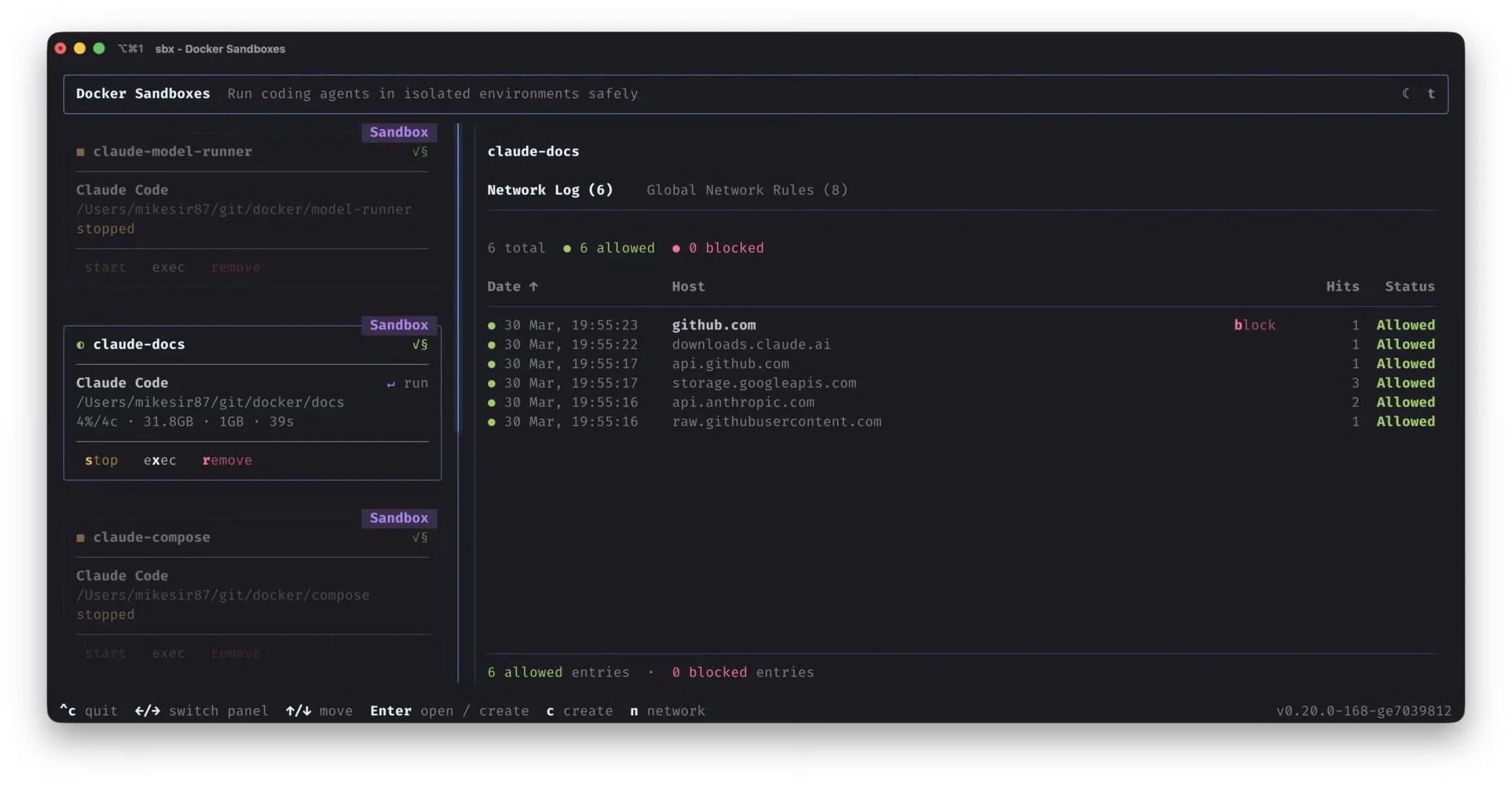
From here you can start, stop, attach to, shell into or remove any sandbox. You can also switch to the network panel to monitor blocked requests and allow or deny hosts live.
2. sbx ls — list sandboxes
sbx ls
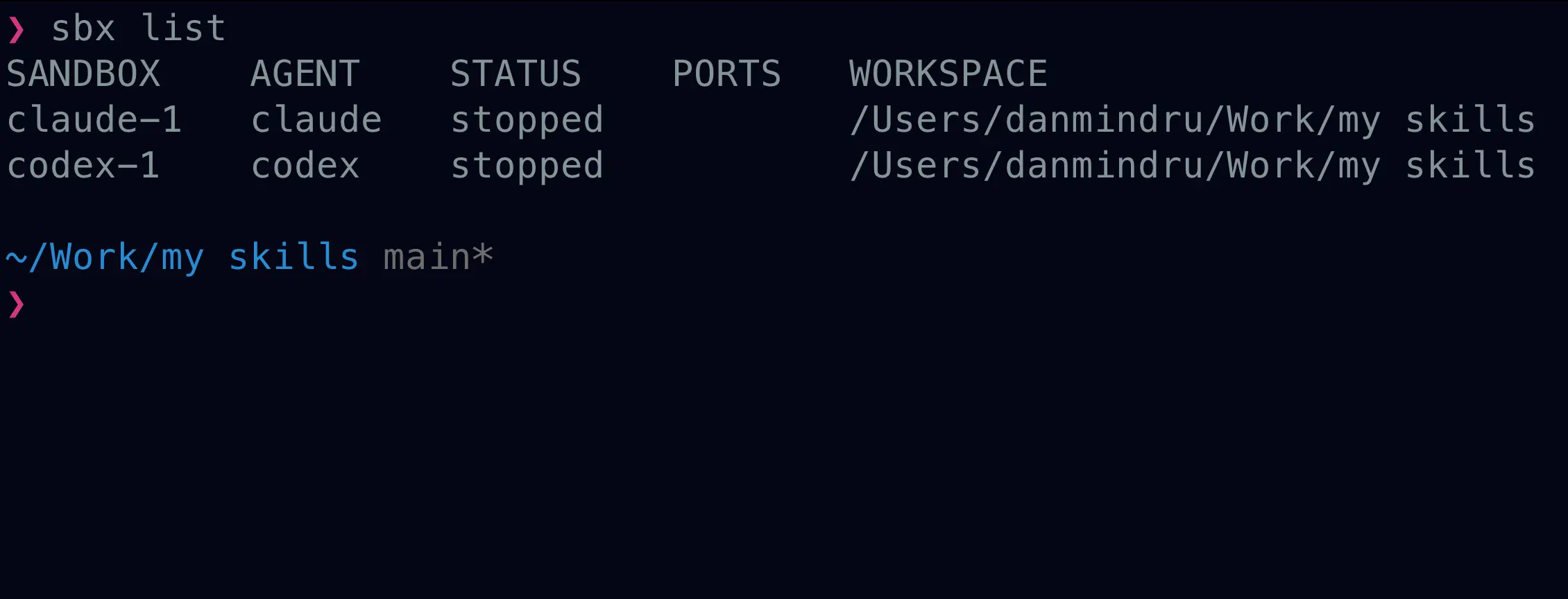
Shows you which sandboxes are running, their status, published ports and their workspace path.
3. sbx ports --publish — expose a dev server
By default, services running inside a sandbox aren't reachable from your browser. To forward a port:
sbx ports my-sandbox --publish 8080:3000
# host localhost:8080 → sandbox port 3000
Gotcha: the service inside the sandbox must bind to
0.0.0.0, not127.0.0.1. Most dev servers default to localhost, so you'll usually need a flag like--host 0.0.0.0when starting them.
Port mappings are per-sandbox, so you'll publish ports separately for each project.
4. sbx stop and sbx rm
sbx stop my-sandbox   # pause
sbx rm my-sandbox     # delete entirely
Delete is a superpower here. Sandbox got into a weird state? Delete it. Installed the wrong packages? Delete it. Worried your agent did something bad? Delete it. Your workspace files stay on your host. Only the sandbox's ephemeral state is wiped.
Getting the Most Out of Sandboxes
Once you're sandboxed with full permissions, the bottleneck moves upstream. The agent can run for hours unattended, but only if you give it something worth running on.
Three things matter:
Planning and specs. Write down what you want, precisely. If you're not great at this (most of us aren't), use Matt Pocock's
grill-meskill. It interviews you until every ambiguity in your plan dies:npx skills add https://github.com/mattpocock/skills --skill grill-meA self-verifying harness. Your agent needs a way to check its own work: unit and end-to-end tests, builds, type checks, lint and ideally a browser-level check (Playwright or a headless agent browser) for any UI work. If the agent can't verify it, you'll get slop.
A loop. Once specs and harness are in place, you can run the agent in a long loop and walk away.
💡 This is exactly what the Ralph Loop is about. If you want the deep dive on specs, PRDs, task breakdown, tests and the actual loop script, read that next. Docker Sandboxes is the missing piece that makes running Ralph safely on your own machine realistic.
Want a head start for your sandbox runs?
PageAI ships with production-ready components, AGENTS.md and tests wired up, so your agent has something to extend instead of something to scaffold.
Advanced Usage
These three patterns are what separate "tried it once" from "actually uses it every day".
Headless Mode for Loops
Pass -- -p "prompt" to run an agent non-interactively. No TUI, no attached terminal. The agent runs the prompt and exits:
sbx run claude . -- -p "What version is this project?"
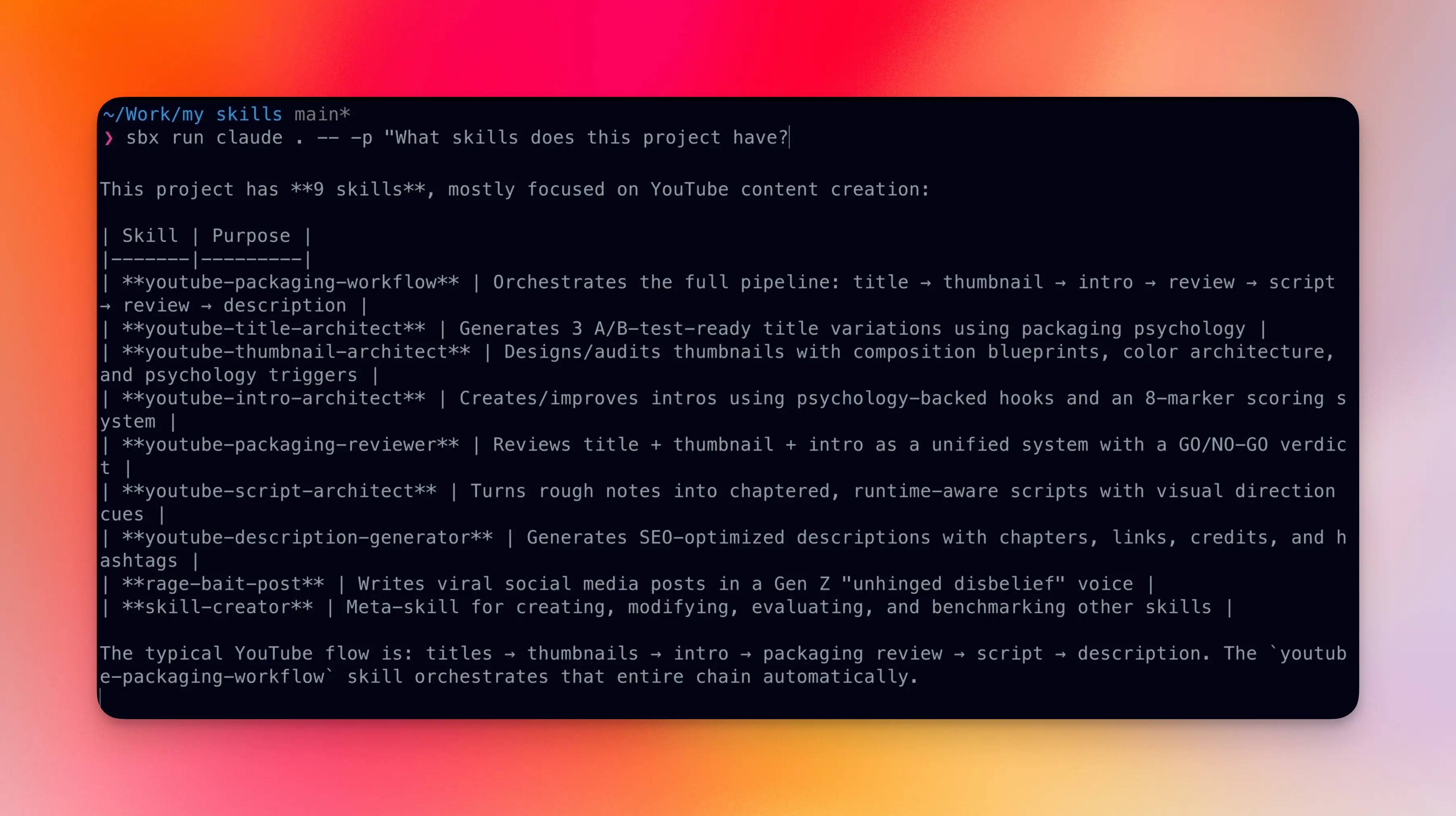
Now imagine a bash for loop iterating over a list of specs and passing each one to the agent:
for spec in .agent/tasks/*.md; do
  sbx run claude . -- -p "$(cat "$spec")"
done
That's the entire primitive behind running agents for hours or days. Every call is stateless, every call is sandboxed, every call is safe. Combine this with a real task system and you have a Ralph Loop.
💁♂️ If that clicked, here's the full Ralph Loop tutorial. It covers the prompts, skills and script needed to keep an agent productive for 8+ hours straight.
Branch Mode for Parallel Agents
When you want two or more agents on the same repo at the same time (or want to keep coding while the agent does), use --branch:
sbx run claude --branch my-feature
This creates a Git worktree under .sbx/ in your repo root. The agent works on its own branch, in its own directory. Your main working tree stays untouched.
You can also let the CLI name the branch for you:
sbx run claude --branch auto
Add .sbx/ to your gitignore so the worktrees don't show up in git status:
echo '.sbx/' >> .gitignore
When the agent is done, find the worktree, review and push:
git worktree list
cd .sbx/my-sandbox-worktrees/my-feature
git log
git push -u origin my-feature
Use cases this unlocks:
- Multiple Ralph Loops on the same repo, working on different feature branches
- You coding on
mainwhile an agent refactors on a feature branch - Fanning out three agents on three different bug fixes, then reviewing their PRs
Debugging a Sandbox
When something's not working, drop into the sandbox directly:
sbx exec -it my-sandbox bash
From here you can cd to the project path (same absolute path as on your host), rerun tests, start the dev server manually, install packages, or poke at anything else.
If the network policy is getting in the way during debugging, loosen it temporarily:
sbx policy allow network "**"
And the nuclear option — if a sandbox is genuinely broken, delete and recreate:
sbx rm my-sandbox
sbx run claude .
Wrapping Up
Docker Sandboxes are a practical way to get the upside of long-running, full-permission agents without betting your laptop on every prompt. The setup is small, the agent CLIs work the way they always have, and when something goes sideways you reset in one command.
When you're ready to go further, wire sbx into a real loop: headless runs with -- -p, branch mode when you need parallel worktrees, and a spec plus harness so the agent can verify its own work. For that end-to-end workflow, the Ralph Loop guide walks through prompts, tasks and the loop itself. The Docker Sandboxes docs stay the source of truth for CLI flags, policies and troubleshooting.
As with most AI tooling, the unlock isn't a single command. It's letting the agent run with a boundary you trust, then reviewing what lands in your repo.
Thanks for reading!
FAQ & Troubleshooting
Which operating systems does sbx support?
macOS, Windows and Linux (Ubuntu). Install commands:
# macOS
brew install docker/tap/sbx

# Windows
winget install -h Docker.sbx

# Linux (Ubuntu)
curl -fsSL https://get.docker.com | sudo REPO_ONLY=1 sh
sudo apt-get install docker-sbx
sudo usermod -aG kvm $USER
newgrp kvm
Which AI coding CLIs work inside sbx?
Out of the box: Claude Code, Codex, Gemini CLI, Copilot CLI, OpenCode, Kiro and Docker's own Docker Agent. You can also run custom agents via custom environments. See the supported agents docs for the full list.
Do I need Docker Desktop?
No. sbx is a standalone binary. Docker Desktop ships a separate built-in docker sandbox subcommand, but it has fewer features. The standalone sbx CLI is what you want.
My dev server is running in the sandbox but my browser can't reach it.
Two things to check:
- Did you publish the port?
sbx ports my-sandbox --publish 8080:3000maps hostlocalhost:8080to sandbox port3000. - Is the service bound to
0.0.0.0? A server listening on127.0.0.1inside the sandbox is not reachable from outside, even with a port mapping. Most dev servers need an explicit--host 0.0.0.0flag.
My sandbox is stuck or broken. How do I reset it?
Just delete and recreate. Your workspace files on the host stay intact:
sbx rm my-sandbox
sbx run claude .
Can I run multiple sandboxes at the same time?
Yes. Each sandbox is fully isolated, with its own filesystem, network, Docker daemon and resources. Run one per project, or several per project using branch mode.
sbx run claude ~/project-a
sbx run claude ~/project-b
How do I run sbx in a headless loop like the Ralph Loop?
Use the -- -p "prompt" flag to run the agent non-interactively:
for spec in .agent/tasks/*.md; do
  sbx run claude . -- -p "$(cat "$spec")"
done
For the full workflow (specs, PRDs, task breakdown, the actual loop script), see the Ralph Loop guide.
Can agents break out of the sandbox?
Each sandbox is a microVM, not a shared-kernel container. That's a real hardware-level isolation boundary, similar to what cloud providers use to isolate tenants. An agent inside cannot see your host files, your host network or any other sandbox. It's a much stronger boundary than docker run alone.
How do I reach a service running on my host from inside a sandbox?
Use the hostname host.docker.internal. You'll also need to add the host port to your network policy:
sbx policy allow network localhost:11434
Then from inside the sandbox:
curl http://host.docker.internal:11434
127.0.0.1 and your LAN IP won't work, they're not routable inside the sandbox.
The network policy blocked a domain I actually need. How do I allow it?
sbx policy allow network <host>
For example: sbx policy allow network api.openai.com. You can also manage rules interactively in the sbx TUI network panel.
How is this different from --dangerously-skip-permissions with plain Docker or a devcontainer?
Three things:
- Stronger isolation. Sandboxes run in microVMs, not containers. An agent can't break out to your host kernel.
- Docker-in-sandbox. Each sandbox has its own Docker daemon, so the agent can build images and run containers without those leaking into your host's
docker ps. - Network governance. First-class network policies and a TUI to allow or deny hosts live. Plain Docker doesn't give you that.
Plus the UX is built for coding agents. Per-agent logins, branch worktrees, headless mode, port publishing and exec into a sandbox are all one-command primitives.
Side note: the full agentic landing-page pipeline I work on runs beautifully inside sbx. See The Agentic Workflow for Landing Pages for the prompts I use stage-by-stage, and PageAI if you want the shipping layer (SEO, blog, theme, deploy) already wired up so the sandbox only runs the creative work.
Commands Quick Reference
| Command | Description |
|---|---|
sbx login | Sign in to your Docker account |
sbx run <agent> . | Start a sandbox with the given agent in the current directory |
sbx run <agent> . -- -p "<prompt>" | Headless: run a prompt and exit |
sbx run <agent> --branch <name> | Create a Git worktree for the agent on <name> |
sbx | Open the interactive TUI dashboard |
sbx ls | List all sandboxes |
sbx stop <name> | Pause a running sandbox |
sbx rm <name> | Delete a sandbox (and its worktrees) |
sbx ports <name> --publish HOST:SANDBOX | Forward a host port into the sandbox |
sbx exec -it <name> bash | Open a shell inside the sandbox |
sbx policy allow network <host> | Allow a host in the network policy |
Resources
- Docker Sandboxes product page — official overview and demo
sbxdocs home — all the reference docs- Usage guide — deep dive on commands and workflows
- Supported agents — list of built-in agents and per-agent config
sbxreleases on GitHub — release notes, issue trackermattpocock/skills— thegrill-meskill and friends- Ralph Loop tutorial — the long-form spec/PRD/task/loop workflow
